





Corporate Video Editing Services: How to Choose the Right One
You have shot the footage. Now what? Choosing the wrong corporate video editing services can mean a polished-looking video that nobody watches — or worse, one that actively confuses your audience. This guide breaks down every major corporate video style, how to use each one strategically, what tools actually work, and the mistakes that quietly kill video ROI. Let us get into it.
Why Video Is Non-Negotiable for Businesses Right Now
Before we talk about styles and editing, let us talk about why this matters at all.
According to a report, 91% of businesses use video as a marketing tool — the highest percentage ever recorded. And it is not just top-of-funnel awareness either. The same report found that 87% of marketers say video has directly increased sales.
Hootsuite’s Social Trends report adds more context. Video content generates 1200% more shares than text and image content combined on social platforms. For B2B companies, that reach is not vanity — it translates to pipeline.
What surprises most business owners is that, according to Statista, mobile video consumption rises by 100% every year. Your buyers are watching videos on their phones during commutes, between meetings, and while making purchasing decisions. If your brand is not in their feed with a well-edited video, your competitor is.
The question is not whether to invest in video. The question is which type of video to invest in — and how to make sure the editing actually serves your message.
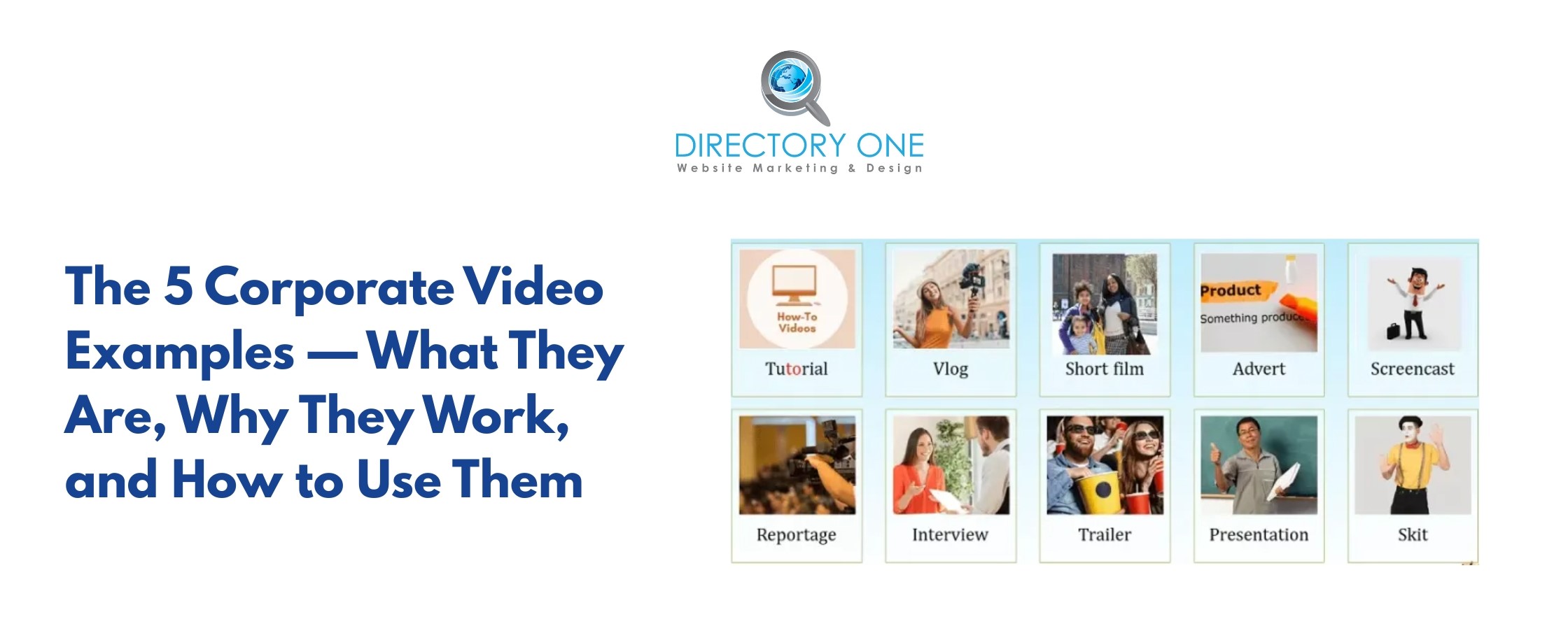
The 5 Corporate Video Examples — What They Are, Why They Work, and How to Use Them
1. Brand Story Video
What it is: A brand story video is a 60–180 second narrative that tells who your company is, what you believe, and why you exist — without leading with a product pitch. Think documentary-lite. It is emotion-first, logic-second.
Why it works: People buy from companies they trust. 81% of consumers say trust is a deciding or deal-breaking factor when making a purchase decision. A brand story video builds that trust faster than any brochure or about-page ever could.
How to implement it: Keep it under 2 minutes. Open with a real problem your customers face — not a logo animation. Use actual team members on camera instead of stock footage wherever possible. The editing should feel clean and human: natural sound bites, b-roll of real work happening, and a clear emotional arc from problem to resolution.
For example, Nike’s “You Can’t Stop Us” brand video (2020) is one of the most studied corporate video examples in modern marketing. The video used split-screen editing to pair athletes from completely different sports — visually connecting a surfer’s wave with a skateboarder’s halfpipe, a basketball player’s leap with a high jumper’s arc.
There was no product pitch. No price point. Just a relentlessly edited 90-second message about human resilience.
The video accumulated over 58 million views on YouTube within weeks of release and won multiple Cannes Lions awards. The editing was the message — and it worked because every cut was intentional.
2. Product or Service Explainer Video
What it is: An explainer video breaks down a specific product, service, or process in a clear, structured way. These are typically 60–120 seconds and are often used on landing pages, in sales emails, or as paid ad content.
Why it works: According to reports, 96% of people say they have watched an explainer video to learn more about a product or service. More importantly, 89% say watching a video convinced them to buy. For B2B buyers who need to justify purchases internally, a clear explainer video does a lot of the sales work before a rep even gets on a call.
How to implement it: Structure every explainer using the Problem ? Solution ? Proof framework. Open by naming the problem your buyer recognizes. Present your solution in plain language — no jargon. Close with a specific call to action. Keep the editing tight: cut anything that does not add meaning.
3. Animated Marketing Videos for Business
What it is: Animated marketing videos for business use motion graphics, illustrated characters, or data-driven animations to explain concepts that are too complex or abstract to show with live footage. Common formats include whiteboard animation, 2D character animation, and motion graphics explainers.
Why it works: Animation removes the friction of complexity. When you are selling an enterprise software platform, a compliance service, or a financial product, it is genuinely difficult to show your value on camera. Animation lets you visualize processes, systems, and results that would otherwise require a 40-slide deck to explain.
According to HubSpot, animated videos are among the most effective content formats for improving understanding and reducing sales cycle length in B2B contexts.
How to implement it: Do not animate for the sake of it. Use animation specifically when your product or service is invisible, intangible, or highly technical. Keep brand colors consistent throughout. Invest in professional voiceover — badly recorded audio kills even excellent animation. Script should run at approximately 130–150 words per minute for comfortable viewing.
For example, Slack: When Slack launched its B2B product to the broader market, it used a combination of screen recording and motion graphics animation to show exactly how teams communicate inside the platform.
Rather than filming people at desks talking about email overload, Slack animated the actual product interface — showing messages flowing, channels organizing, and integrations connecting in real time. The video made an invisible digital product feel tangible and immediately understandable.
Slack grew from 500,000 to 1.1 million daily active users within its first year, and its explainer and animated marketing videos are widely credited as a core driver of that viral B2B adoption.
4. Customer Testimonial and Case Study Video
What it is: A real customer talking about the specific results they achieved working with your business. These differ from generic praise videos — strong testimonial videos lead with measurable outcomes and specific before-and-after narratives.
Why it works: According to reports, 92% of consumers trust recommendations from people they know, and 70% trust online consumer opinions — even from strangers. In B2B, social proof from a recognizable industry peer is one of the most powerful conversion tools available.
How to implement it: Do not script your customers. Give them three prompts: what the problem was before working with you, what specifically changed, and what the measurable result was. Edit for clarity and pace — remove filler words, cut long pauses, and use b-roll of the customer’s business to keep the visual moving. Aim for 60–90 seconds for social distribution and up to 3 minutes for a full website case study version.
5. Corporate Training and Internal Communication Video
What it is: Videos created for internal audiences — new employee onboarding, process training, compliance walkthroughs, or executive announcements. These are among the most underused formats in corporate video, yet they deliver some of the clearest ROI.
Why it works: According to a study, employees are 75% more likely to watch a video than read a document of the same length. For companies with distributed teams, field workers, or high turnover roles, video-based training dramatically reduces onboarding time and inconsistency.
How to implement it: Keep segments short — under 5 minutes per module. Use screen recording tools like Loom for software training. For in-person process training, shoot from the worker’s point of view where possible. Add captions on every internal video — this is not optional. According to research, 80% of viewers are more likely to watch a video to completion when captions are available, even in sound-on environments.
Corporate Video Editing Best Practices
Good footage edited poorly is still a bad video. Here is what separates effective corporate video editing services from average work:
- Cut to the meaning, not to music.
Every cut should serve the message. A common amateur mistake is syncing cuts to a beat regardless of whether the visual transition makes narrative sense. Edit for comprehension first, rhythm second.
- Use captions on every video, always.
Captions on video marketing strategies are no longer optional — they are expected. Digiday reports that 85% of Facebook videos are watched without sound. LinkedIn and Instagram show similar numbers. If your video requires audio to make sense, it is already underperforming. Burn in captions or use a reliable auto-caption service and proofread every line.
- Color grade consistently.
Raw footage from even a professional camera looks flat and inconsistent across different shooting environments. A consistent color grade unifies your video and communicates brand professionalism. For most corporate videos, a clean, slightly warm grade works well — avoid heavy cinematic looks that feel mismatched to a business context.
- Open in the first 3 seconds or lose them.
According to Facebook IQ, 65% of people who watch the first 3 seconds of a video will watch for at least 10 seconds, and 45% watch for 30 seconds. Your opening frame needs to immediately answer “why should I keep watching?” Never open with a logo animation on a branded corporate video intended for social distribution.
- Export for each platform separately.
A 16:9 horizontal video on Instagram Stories is a wasted opportunity. Export square (1:1) for Instagram feed, vertical (9:16) for Stories and Reels, and horizontal (16:9) for YouTube and LinkedIn. Each crop requires a separate edit to ensure the subject stays centered.
B2B Video Marketing Strategy: How to Make Video Actually Work
Shooting and editing a great video is step one. Getting it in front of the right people is where most businesses drop the ball. Here is a practical digital video marketing strategy for B2B companies:
Map video to the buyer journey:
- Awareness stage: Brand story videos, thought leadership content, and animated marketing videos for business distributed on LinkedIn, YouTube, and paid social.
- Consideration stage: Product explainers, comparison videos, and service walkthroughs embedded on landing pages and sent in nurture email sequences.
- Decision stage: Customer testimonial videos and case study videos shared in proposals, sales decks, and final-stage email follow-ups.
Repurpose aggressively:
One well-edited 3-minute case study video can produce: a 60-second social cut, three 15-second quote clips for Instagram Stories, a LinkedIn article with the video embedded, a sales email asset, and a homepage feature. Your video marketing for small business budget goes much further when every piece of content is systematically repurposed.
Track what matters:
Do not obsess over views. For local business video marketing and B2B contexts, the metrics that predict revenue are watch time percentage, click-through rate on CTAs, and downstream conversion rate from pages where videos are embedded. Use YouTube Analytics, LinkedIn Video Analytics, or Wistia for business-grade tracking.
Invest in captions and accessibility:
As part of your B2B video marketing strategy, captions are not just an accommodation — they are a reach multiplier. Captioned videos perform better in search (captions are indexed as text), better in sound-off environments, and better with international audiences. Make captioning a standard part of your post-production workflow, not an afterthought.
Best Tools Considered In Corporate Video Editing Services
Whether you are editing in-house or briefing an agency offering video marketing for small business?, knowing the tools helps you have better conversations and set realistic expectations:
- Adobe Premiere Pro: Industry-standard editing software. Used by most professional editors for corporate video work. Steep learning curve but unmatched flexibility.
- DaVinci Resolve: Free professional-grade editing and color grading tool. Increasingly used by corporate video teams as an alternative to Premiere. The color grading module is best-in-class.
- Final Cut Pro: Mac-only but exceptionally fast for multicam and long-form editing. Popular with in-house corporate video teams at mid-market companies.
- Descript: Excellent for editing talking-head and interview footage. Edits video by editing the transcript — highly efficient for testimonial and training videos.
- Canva Video / Adobe Express: Entry-level tools for social video content, simple animated graphics, and short-form clips. Suitable for small businesses creating their own social content without a dedicated editor.
- Loom: Ideal for internal training and screen-recording videos. The free tier is sufficient for most small business training needs.
- Kapwing: Browser-based tool with strong auto-caption features. Good for adding captions on video marketing content at scale without manual transcription.
Ready to Elevate Your Corporate Video Strategy?
Here is the reality: most Houston businesses are sitting on untapped video potential. They have the stories, the results, and the customers — they just do not have the editing expertise to turn raw footage into content that converts.
That is exactly where Directory One comes in.
Directory One is a Houston-based digital marketing agency with deep expertise in corporate video editing services and B2B video marketing strategy. Whether you need a single polished brand video or a full quarterly content calendar built around animated marketing videos, testimonials, and social cuts — Directory One’s team handles the strategy, the editing, and the distribution.
What Directory One delivers:
- End-to-end corporate video editing services — from raw footage to final export
- Animated marketing videos for business across all industries
- Caption optimization as part of every deliverable
- Local business video marketing campaigns built for Houston audiences
- Affordable video editing services for small businesses with transparent, flat-rate pricing
Final Thoughts
Corporate video editing services are a core part of how B2B companies compete for attention, trust, and revenue in 2026. The businesses winning with video are not necessarily the ones with the biggest budgets. They are the ones who understand which video type matches which goal, edit with intention, distribute strategically, and measure what actually matters.
Pick one video style from this guide. Build one piece of content this quarter. Measure it. Then build the next one. That is how a sustainable video marketing for small business strategy compounds over time — not with one viral video, but with consistent, purposeful content that earns trust with every single view.
If you’re thinking about scaling your video efforts, work with Directory One. Call now at 713.269.3094 to speak with our experts and discuss your video needs, or visit www.directoryone.com to map out a video marketing plan that fits your budget and your goals.
About The Author
