





Social Media Marketing Calendar: Tips to Plan 30 Days of Content in One Hour
Most business owners feel a bit of panic when they realize they haven’t posted to their social pages in a week. You sit down, stare at your phone, scroll through feeds, try to think of something clever to share, write captions, and suddenly an hour disappears. Tomorrow you do it again. And again. The cycle never stops unless you break it.
That’s where a solid social media marketing calendar changes everything. Not some complicated system that takes weeks to set up. We’re talking about something you can build in actual hours, then use all month without the daily scramble.
At Directory One, we’ve helped business owners streamline their content planning. The ones who get it right spend less time managing social media but post more consistently. Their audiences grow. Their engagement improves. Their content feels intentional instead of reactive.
What Is a Social Media Marketing Calendar?
A social media marketing calendar is a planning document that maps out what you post and when. It includes dates, platforms, content type, and basic captions or ideas. Think of it as a content roadmap. Once it is ready, posting becomes easy. You stop reacting and start planning.
What Makes a Social Media Marketing Calendar Worth Your Time
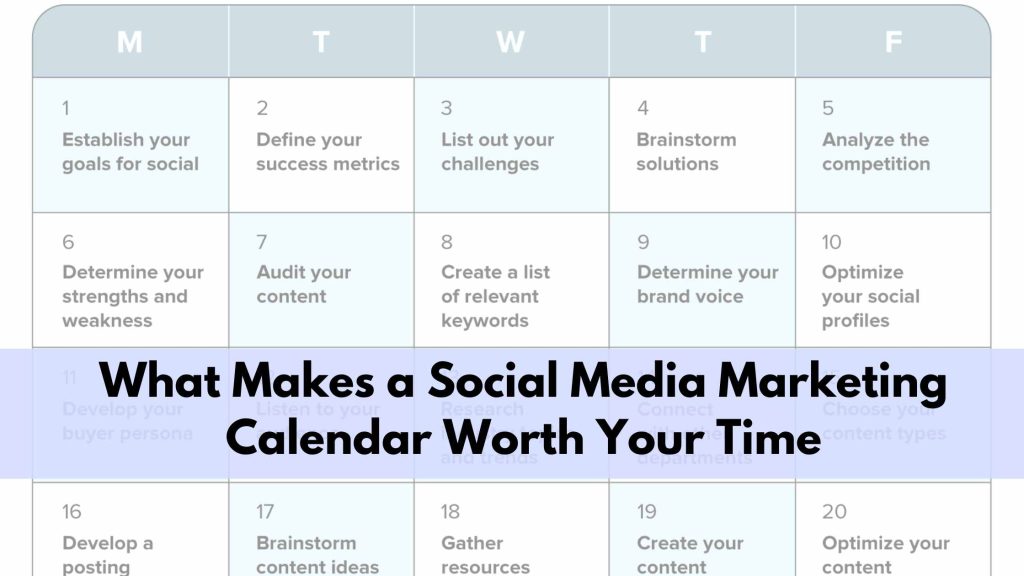
A calendar does more than just list dates. It gives you a bird’s eye view of your brand strategy. When you see your month laid out, you can spot gaps.
The Problem With No Planning
Without a strategy, you post when you remember. Some days you share three things. Other days nothing. Your audience never knows what to expect. Algorithms punish this inconsistency. Followers stop showing up because you’ve trained them to.
The Solution: Consistent Posting
With a calendar, you post consistently. Your audience knows when to look for you. Algorithms reward predictable posting. Your content performs better because it’s intentional, not random.
Time You’ll Actually Get Back
The other benefit is peace of mind. Instead of thinking about content daily, you think about it once. That’s the real time saver. You batch your thinking. You batch your work. You schedule it. Then you move forward with other business tasks.
At Directory One, we notice that clients who plan ahead have much higher engagement rates. Their posts feel intentional, not accidental.
Tips to Plan Content in One Hour
The secret to speed is batching. Do not write one caption today and another tomorrow. Sit down and write all twelve or fifteen captions at once. Your brain gets into a creative flow when you stay on one task.
- Use Themes: Assign a theme to each day of the week, like “Testimonial Tuesday.”
- Recycle Old Content: Look at your blog or website. Turn one long article into three short social posts.
- Keep it Simple: Not every post needs to be a masterpiece. Sometimes, a simple question for your followers is the most engaging thing you can share.
Choose the Right Format for Your Calendar
You do not need expensive tools to plan content.
Google Sheets Social Media Calendar
A Google Sheets social media calendar is simple, flexible, and easy to share. It works well for teams and solo marketers.
You can access it anywhere. Updates sync instantly. That alone saves time.
Social Media Excel Calendar
A social media Excel calendar works if you prefer offline planning. It is structured and familiar.
Choose the format that fits your workflow. The tool matters less than the system.
How to Create a Social Media Content Calendar
- Open a Blank Sheet: Use Google Sheets or Excel. Create columns for:
- Date
- Platform
- Content type
- Post idea
- Status
That is enough to start.
- Add All Dates for 30 Days: Fill the sheet with dates for the next month. This creates visual clarity.
- Assign Content Types: Rotate your content categories across the calendar. This avoids repetition.
- Write Simple Post Ideas: Do not write full captions yet. Just short ideas. For example:
- Share a packaging tip
- Show product use case
- Answer a common question
You can do this fast when categories are ready.
Plan Your Calendar in Seven Actions

Let’s walk through the actual process of building your social media marketing calendar.
Action 1: Look at the Full Month
Grab a calendar. Print one or use a digital version. See the full month at once. This prevents scheduling six posts on Monday and none on Friday.
Action 2: Mark Important Dates
Identify important dates. Are there holidays your audience cares about? Industry events? Product launches? Your business anniversary? Customer appreciation season? Mark these.
Action 3: Distribute Your Themes
Look at your themes from earlier. Distribute them across the month. Aim for roughly one theme per week unless you want to mix approaches.
Action 4: Schedule Platforms and Content Types
For each date, note your platform and post type. A Monday Instagram post. A Wednesday LinkedIn article share. A Friday TikTok video. Vary your content types within each platform, too. Mix photos, videos, carousel posts, and text updates.
Action 5: Write Caption Ideas
Write or outline your captions. You don’t need a perfect final copy, just enough direction that you’ll remember your idea. Write something like “Share customer testimonial from Sarah, mention how she saved time” instead of writing the full caption now.
Action 6: Set Posting Times
Note posting times. Test different times and track what works for your audience. Don’t post everything at 9 AM just because that feels standard. Your audience might be more active at 6 PM.
Action 7: Assign Responsibilities
If you have a team, assign who creates what. One person handles videos. Another manages graphics. A third writes a copy. Distribute the work rather than have one person handling everything.
This whole process takes maybe one hour if you’re thorough. More if you’re setting up for the first time and want to be detailed.
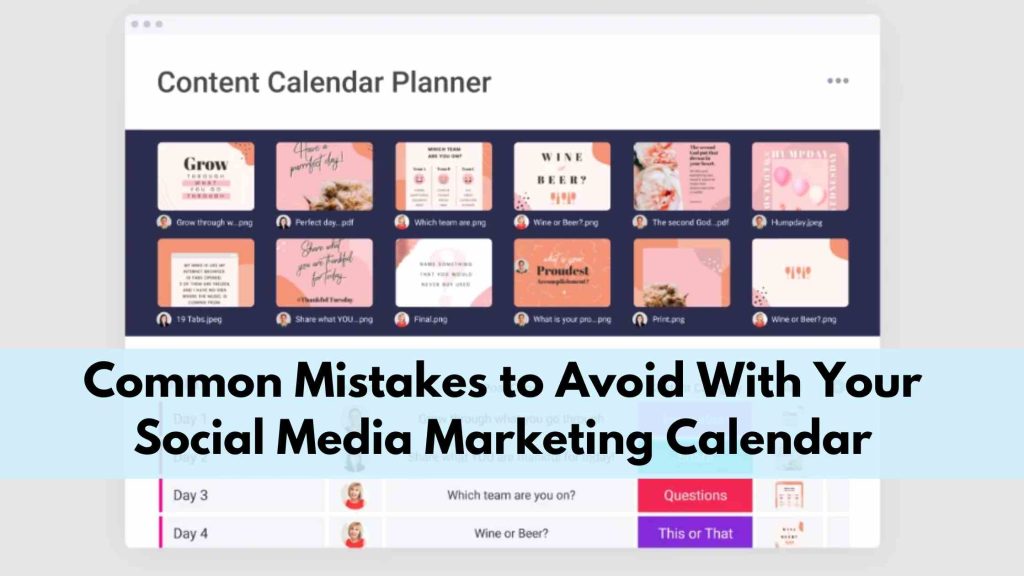
Common Mistakes to Avoid With Your Social Media Marketing Calendar
We’ve seen business owners make the same errors repeatedly.
Overplanning and Complexity
Some people create calendars so detailed that they never actually execute. You need structure but not strangulation.
Ignoring What Actually Works
Check what actually performs. If certain content types get way more engagement, create more of that. Your calendar should evolve based on data.
Forgetting Engagement and Community
A calendar helps you post consistently, but social media also requires responding to comments and messages. Budget time for that.
Only Promoting Your Products
Mix in educational, entertaining, and relational posts. People follow you for different reasons. Serve all of them.
Being Too Rigid for Current Events
Sometimes something relevant happens. Be flexible enough to address it while staying on your calendar most days.
Start Your Social Media Marketing Calendar This Week
The best social media marketing calendar is one you’ll actually use. That means it needs to work with your life, not against it.
Some weeks you’ll be busier. Some months you’ll have more creative energy. Your calendar should flex slightly while maintaining the core commitment to consistency.
The goal isn’t perfection. The goal is moving from “I have no idea what to post today” to “I have a plan, and I’m executing it.”
Final Thoughts
At Directory One, we help businesses build practical content calendars that align with real goals. No complicated tools. No wasted effort. Just a clear plan that delivers steady results.
If you are tired of guessing what to post, it is time to plan with purpose. Connect with Directory One today and let our experts help you create a social media marketing calendar that saves time, improves consistency, and drives measurable growth.
Call us at 713.269.3094 for a free social media marketing calendar.
About The Author
