





Mailchimp Email Marketing: 10 Essential Features for Small Business Growth
Email remains one of the highest-ROI digital channels, delivering an average return of $36 for every $1 spent. It consistently outperforms other channels. More impressively, email campaign click-to-conversion rates grew by 27.6% in 2024, demonstrating that customers who engage with emails are increasingly likely to make purchases. For small businesses seeking scalable, data-driven growth, Mailchimp Email Marketing continues to be one of the most widely adopted platforms worldwide.
This guide breaks down how Mailchimp works, why it matters for small businesses, and the 10 essential Mailchimp Email Marketing features that support targeted email marketing, customer journeys, and long-term revenue growth.
What Is Mailchimp Email Marketing?
Mailchimp email marketing is a comprehensive digital marketing platform designed to help businesses of all sizes create, send, and track email campaigns. At its core, it’s an email service provider (ESP) that simplifies the entire process of email marketing—from list building to campaign optimization.
Founded in 2001 and now owned by Intuit, Mailchimp has evolved from a simple newsletter tool into the #1 email marketing and automation platform. This platform provides tools for creating, sending, and tracking engaging email campaigns to customers and subscribers, with features including customizable email templates, product recommendations, automated email flows, and personalized content to engage your audience and drive conversions.
What sets Mailchimp apart is its accessibility. You don’t need technical expertise or design skills to succeed. The platform handles the complexity, leaving you free to focus on strategy and customer relationships.
Impact of Mailchimp Email Marketing on Small Business Success
Consumers spend 128% more when shopping from emails than when using other methods, according to Shopify’s 2025 analysis. This spending increase directly translates to revenue growth for businesses that leverage email effectively.
Additionally, 87% of marketing leaders say that email marketing is critical to the success of their company, and 90% of marketers say that delivering targeted messages to email users boosts performance.
For small businesses specifically, Mailchimp email marketing offers affordability without sacrificing capability. Expert Consumers identified Mailchimp as the top-ranked option for ease of use and consistent results for small business email marketing in 2025, recognizing how small businesses continue to rely on email as a core communication channel.
10 Essential Features of Mailchimp Email Marketing
1. Advanced Audience Segmentation
Don’t treat your list like a monolith. Use tags and segments to group subscribers by behavior, such as “First-time Buyers” or “Inactive for 30 Days.” This is the cornerstone of targeted email marketing.
2. The Customer Journey Builder
The email marketing customer journey is no longer a straight line. Mailchimp’s visual builder allows you to create “if/then” logic. For example, if a customer opens the email but doesn’t click, send a follow-up coupon 2 days later.
3. Professional Templates & Design Standards
First impressions are visual. To maintain brand integrity, you must adhere to the correct Mailchimp email dimensions. Emails with images get about 4.84% CTR, compared to just 1.6% for text-only messages, but include alt text so recipients see your message even if images don’t load.
- Standard Width: 600 pixels.
- Email Header Size Mailchimp: The ideal Mailchimp email header size is 600px wide with a variable height (usually 100px to 200px).
- Mailchimp Email Header Dimensions: Keep file sizes under 1MB to ensure fast loading and avoid spam filters.
4. Multivariate & A/B Testing
Stop guessing which subject line works. Test up to three variations of subject lines, “From” names, content, and send times.
5. Predictive Analytics & Insights
Mailchimp now uses AI to predict the “Customer Lifetime Value” (CLV) of your subscribers, helping an email marketing consultant focus efforts on the highest-value leads. 95% of marketers who use generative AI for email creation rate it “effective”, with 54% rating it “very effective”, and 43% of marketers who use generative AI say that it’s most helpful for creating emails.
6. Dynamic Content
Show different blocks of content to different people within the same email. If you are a b2b email marketing agency, you might show a “Case Study” block to CEOs and a “Technical Specs” block to Managers.
7. Send-Time Optimization
Mailchimp analyzes when your specific audience is most likely to click and hold your email until that peak window.
8. Email Automation & Marketing Workflows
Manual email sending doesn’t scale. Mailchimp email marketing automation allows you to create sequences that send automatically based on customer behavior, nurturing relationships while you focus on other business priorities.
For example, welcome series, abandoned cart recovery, post-purchase follow-ups, re-engagement campaigns, etc.
9. Comprehensive Reports
Go beyond “Open Rates.” Track “Click Maps” to see exactly where users are hovering and clicking within your layout.
10. E-Commerce Integration
For Mailchimp email marketing to drive sales, it needs a direct connection to your product catalog. Mailchimp integrates with major e-commerce platforms automatically. Connect your Mailchimp Email Marketing account to Shopify, Salesforce, or Canva to streamline your workflow.
Best Practices for Mailchimp Email Marketing
Designing for Deliverability
To ensure your Mailchimp mass email doesn’t end up in the “Promotions” tab or spam:
- Clean your list: Use the “Omnivore” tool to remove stale addresses.
- Balance Text-to-Image: Don’t send one giant image. Spammers do that. Use a healthy mix of HTML text and images.
- Optimize Alt Text: Always add alt text to your images (e.g., “Company Logo” or “Summer Sale Banner”) so users can understand the email even if images are blocked.
Mastering the Technical Dimensions
Using the correct Mailchimp email dimensions prevents your layout from “breaking” on mobile devices, which account for over 41% of email opens.
| Element | Ideal Dimension | Why it matters |
| Max Width | 600px | Prevents horizontal scrolling on desktop. |
| Header Image | 600px x 200px | Sets the tone without pushing content “below the fold.” |
| Button Size | 44px x 44px (min) | Ensures “fat finger” friendliness on mobile. |
| Font Size | 16px (Body) | Essential for readability and accessibility. |
How to Get Started: Step-by-Step
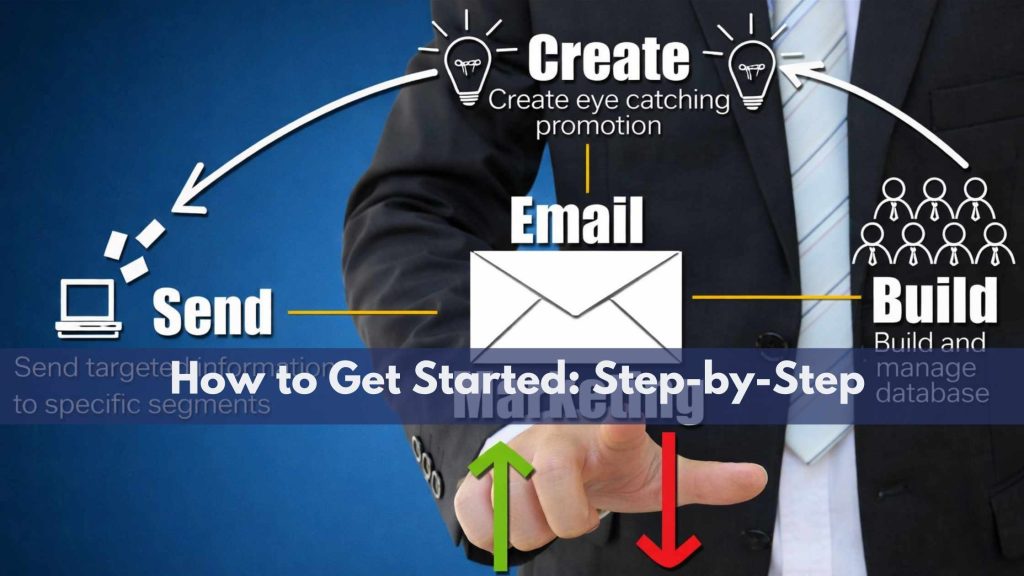
- Set Up Your Audience: Import your contacts and set up a double-opt-in signup form to ensure high-quality leads.
- Design Your Master Template: Set your brand colors and upload a properly sized Mailchimp email header.
- Draft Your First Campaign: Focus on providing value—perhaps a “How-to” guide or a special discount.
- Test and Preview: Use the “Enter Preview Mode” to see how your email looks on mobile vs. desktop.
- Analyze and Iterate: Check your report 48 hours after sending to see which links performed best.
Conclusion
Mailchimp email marketing isn’t just a tool—it’s an investment in your business relationships. If you haven’t yet implemented email marketing for your business, this is your moment.
For guidance in implementing a comprehensive Mailchimp email marketing strategy tailored to your specific business needs, consider consulting with email marketing experts at Directory One who can help you maximize your investment. We specialize in tailored email marketing for agencies and small businesses.
To explore further or get expert guidance, call 713.269.3094.
About The Author
