Archive for September, 2008


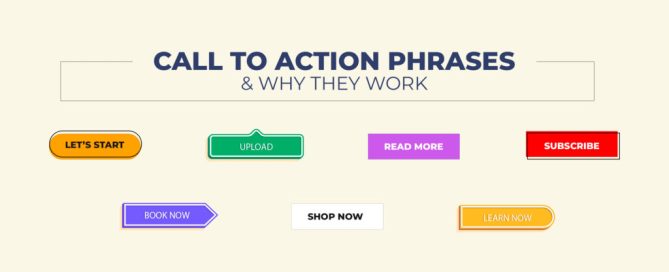
5 Tips for a Good Call to Action

Tuesday 30 September 2008 @ 9:12 pm

Eric Brantner

SEO Writer

Want to turn your readers from passive scanners to loyal, active customers? The best way to get the action you desire is to include a strong call to action in your content. The people are already on your website, and they want to know what to do next.

Use a strong call to action to guide your readers into the next logical step. Whether that is taking them straight to checkout or baiting them with a free offer, it’s up to you. The key is that you take them out of passivity and into action.

Here are 5 tips for creating a great call to action.

1. Identify the Action- The first step to creating a good call to action is to know what you want your readers to do. That means identifying whether you want them to fill out a contact form, click on a link, or call you. Know the action you want, and spell it out clearly in your content.

2. Keep it Simple- The call to action portion of your content should be as simple as possible. Don’t waste time talking in circles to your readers. Tell them in plain terms what you want them to do and what they’ll get if they do it. The simpler your call to action, the likelier your readers will take it.

3. Bring Attention to the Call to Action- In a recent post, I talked about the importance of properly formatting your content. Don’t have your call to action hidden away in some corner of your page. Draw attention to it with bold headings, images, or unique text formatting. However you want to do it isn’t as important as just ensuring your readers clearly see the call to action.

4. Give them a Reason to Act- While you shouldn’t be afraid to ask your customers to give a little of themselves, you have to give them a reason to do so. Common reasons included in strong calls to action include limited time discounts, free information, or bonus products. If you give your customer an incentive for taking action, they’ll be likelier to become active.

5. Avoid Gimmicks- The purpose of a call to action is to sell something. You need to use strong copywriting tactics to get your readers to take action, but you also want to avoid gimmicky language. If you’re too pushy with your copy, readers will turn away. If you’re too passive, they won’t take action either. Your best bet is to be somewhere in the middle- confident and assertive, but not in their face.

Bookmark to:
Add '5 Tips for a Good Call to Action' to Del.icio.us Add '5 Tips for a Good Call to Action' to digg Add '5 Tips for a Good Call to Action' to FURL Add '5 Tips for a Good Call to Action' to blinklist Add '5 Tips for a Good Call to Action' to My-Tuts Add '5 Tips for a Good Call to Action' to reddit Add '5 Tips for a Good Call to Action' to Feed Me Links! Add '5 Tips for a Good Call to Action' to Technorati Add '5 Tips for a Good Call to Action' to Socializer 


5 Deadly Mistakes of Twitter

Monday 29 September 2008 @ 9:30 pm

Eric Brantner

SEO Content Writer

As the importance of social networking continues to increase by the day, it’s necessary to understand how to get the most out of your social media efforts. Since Twitter is the hottest network currently, I thought it would be a good idea to point out a few mistakes some Tweeters make on a regular basis.
Here are the 5 deadly mistakes of Twitter.

1. Lack of Updates- The most vital mistake a Tweeter can make is to ignore their account. If you don’t post on a fairly regular basis, your followers will forget who you are. They may even delete you when they clean up their followers list. Make useful posts on a regular basis, and you’ll begin to establish yourself as an authority.

2. Self-Centered Tweets- While Twitter is a great tool for promoting your business, you don’t want to be an ego maniac. Every single post should not be you promoting your company. Post links to other great articles in your industry, and give your readers relevant, useful information. Remember, it’s not all about you!

3. Unprofessional Posts- If your Twitter account is for your business, you should keep the posts somewhat professional. That’s not to say that every post has to be serious in nature, but you shouldn’t be posting about a wild, drunken party from the night before. Stay professional if you want others to respect your brand.

4. Ignoring Others- One of the best things about Twitter is the ability to interact with others instantly. If you’ve been on the network for any time at all, you’ve seen your fair share of “@ user” posts. Interacting with others is a great way to build your visibility and authority.

5. Irrelevant Avatar- Many business owners fail to realize the importance of having an avatar that builds their brand. Ideally, you want your avatar to be the same across all the social networking sites. This way, people will recognize your business the moment they see the avatar. It creates a unique, consistent look that users will easily identify with.

Bookmark to:
Add '5 Deadly Mistakes of Twitter' to Del.icio.us Add '5 Deadly Mistakes of Twitter' to digg Add '5 Deadly Mistakes of Twitter' to FURL Add '5 Deadly Mistakes of Twitter' to blinklist Add '5 Deadly Mistakes of Twitter' to My-Tuts Add '5 Deadly Mistakes of Twitter' to reddit Add '5 Deadly Mistakes of Twitter' to Feed Me Links! Add '5 Deadly Mistakes of Twitter' to Technorati Add '5 Deadly Mistakes of Twitter' to Socializer 


Great Website Copy is about More Than Words

Sunday 28 September 2008 @ 5:38 pm

Eric Brantner
SEO Content Writer


For most of my copywriting posts, I usually give out tips on how to choose the right words to convert your visitors. While these words certainly serve as the heart and soul of your website, they aren’t always enough.
That’s right—words aren’t everything.

 
How you present your content is key.

 
Understanding Your Visitors


The truth is people don’t read content the same online as they do on paper. There are many reasons behind this, but the most obvious is the computer monitor simply isn’t conducive to reading long passages of text.
For this reason, online readers tend to scan content rather than reading it word for word. They usually scan through the document in an F-shaped pattern.

 
What does this mean for your website?

 
It means you need to present your content in a way that helps readers get all of the necessary information by scanning. By making your page scannable, you’ll be able to better capture their attention. This makes it more likely that you readers will take the action you desire.

 
Making Your Page Scanner-Friendly


Since presentation is key to conversion, what can be done to make your content more scanner friendly?

 
• Subheads- By placing bold, descriptive subheads throughout your content, someone scanning the document can get an understanding of what the content is about. This then helps them make the decision of whether or not they want to read the whole piece. If your content is just one long block with no formatting, you can be sure the majority of readers will skip right past it. Use keyword rich, descriptive bold subheads and you’ll begin to find more readers paying attention to your site.

 
• Bullet Lists- Bullet lists are great for any type of copy. They attract attention, and they can effectively communicate information briefly. Break things up on your page by using bullet lists to deliver important points. Readers can scan through and read the bullet points quickly, thus giving them the information they need to make a proper decision.

 
• Narrow Column- As I mentioned earlier, online users read through content in an F-shaped pattern. One way to accommodate them is to use a narrower column for your content. I’m not saying to have a column that’s only 2 words wide, but don’t have one that spans the entire length of the website. By keeping the column reasonably narrow, more of your words will fall within the range of their F-shaped scan.

Bookmark to:
Add 'Great Website Copy is about More Than Words' to Del.icio.us Add 'Great Website Copy is about More Than Words' to digg Add 'Great Website Copy is about More Than Words' to FURL Add 'Great Website Copy is about More Than Words' to blinklist Add 'Great Website Copy is about More Than Words' to My-Tuts Add 'Great Website Copy is about More Than Words' to reddit Add 'Great Website Copy is about More Than Words' to Feed Me Links! Add 'Great Website Copy is about More Than Words' to Technorati Add 'Great Website Copy is about More Than Words' to Socializer 


5 Components of a Good Blog Post

Tuesday 23 September 2008 @ 12:56 pm

Eric Brantner
SEO Content Writer

Do you ever wonder why some blogs seem to get all the attention? While a great deal of it does have to do with promotional strategies, at the end of the day, it all boils down to content. You can promote your blog all you want, but if your content doesn’t connect with your audience, you’ll never have a successful blog.

Here are 5 components of a solid blog post.

1. Good Title- If you want to entice readers to visit your blog, your title needs to grab their attention. While having a keyword rich title is certainly important for SEO purposes, your first priority should be creating a title that demands the reader click through to the article. Remember, there are millions of blogs vying for the reader’s attention, set yourself apart by having a great title.

2. Relevant Content- If your title is good enough to get the reader to land on your blog, the way you can keep them there is to have great content. Your content needs to be unique, and it needs to be relevant. Again, the internet is brimming with blogs in your niche. Don’t just parrot what everyone else is saying. Take the time to create your own unique perspective on relevant topics, and the readers will begin to flock to your blog.

3. Unique Tone- What many writers fail to realize is that a blog isn’t like any other form of content. You don’t have to be as formal as you would in a standard article. Likewise, you don’t (and shouldn’t’) have to promote yourself like you would in a press release. A blog is a social tool. Be yourself. Use a conversational tone that brings readers in and begs them to interact with you.

4. Informative Links- If you really want to establish yourself as a resource for your niche, you should consider linking out in your posts. By including links to outside sources, you show your readers you really are giving them a well rounded perspective on a given subject. It rejects the notion that you’re just about promoting yourself.

5. Interesting Comments- One of the best ways to retain readers is to interact with them in the comments section. Sure, your blog may only get one or two comments, but if you respond thoughtfully to those comments, you’ll start to build a relationship with your readers. This keeps those commentators coming back, and it encourages others to participate as well. Soon, you’ll have a lively comments section full of people you have strong online relationships with.

Bookmark to:
Add '5 Components of a Good Blog Post' to Del.icio.us Add '5 Components of a Good Blog Post' to digg Add '5 Components of a Good Blog Post' to FURL Add '5 Components of a Good Blog Post' to blinklist Add '5 Components of a Good Blog Post' to My-Tuts Add '5 Components of a Good Blog Post' to reddit Add '5 Components of a Good Blog Post' to Feed Me Links! Add '5 Components of a Good Blog Post' to Technorati Add '5 Components of a Good Blog Post' to Socializer 


September 19th Friday Internet Marketing Roundup

Thursday 18 September 2008 @ 10:38 pm

Eric Brantner

SEO Content Writer

It’s been a couple of weeks since I’ve done one of these. Things got a little hectic last week with our friend, Hurricane Ike.

From the Directory One Blog


• Speaking of Hurricane Ike, I thought it would be a good idea to talk about cleaning up the image of your brand. Whether you recently suffered a PR nightmare or you just need some spring cleaning, this post will help you get the restoration process started. Remember, image is increasingly important in the ever expanding online market. Give your brand the image it deserves.

 
• On Thursday, Herb Firestone wrote a post titled Top Ten Google Chrome Blog Posts. I know I’m one of those people who have been holding out on downloading the new Google web browser until I hear more opinions on it. Thankfully, Herb helped out by linking out to 10 different opinions on the browser. It’s very informative for anyone on the fence.


From Around the Web


• One of my favorite bloggers, Dave Snyder, made a great post giving his perspective on Internet marketing through Goodfellas’ quotes. Since Goodfellas is one of my favorite movies of all time, I absolutely loved this post. Any fans of the movie will definitely enjoy this entertaining piece.

 
• We’ve had several discussions on here about how social media can help your PR efforts. Chris Winfield, of Search Engine Land, recently made a post going into deeper detail on the subject. I highly recommend reading this to anyone who’s concerned about improving their brand’s image and reach online. The benefits of social media are limitless. Get in on it today.

 
• Have you stopped to think about how blogging became so darn popular? Alex, of Blogsessive, identifies the top 5 reasons blogging rocked our world. As a blogging addict, I enjoyed this post because it helps me realize why I do what I do. In the end, it all boils down to us wanting to improve ourselves through interacting with one another.

Bookmark to:
Add 'September 19th Friday Internet Marketing Roundup' to Del.icio.us Add 'September 19th Friday Internet Marketing Roundup' to digg Add 'September 19th Friday Internet Marketing Roundup' to FURL Add 'September 19th Friday Internet Marketing Roundup' to blinklist Add 'September 19th Friday Internet Marketing Roundup' to My-Tuts Add 'September 19th Friday Internet Marketing Roundup' to reddit Add 'September 19th Friday Internet Marketing Roundup' to Feed Me Links! Add 'September 19th Friday Internet Marketing Roundup' to Technorati Add 'September 19th Friday Internet Marketing Roundup' to Socializer 


Top Ten Google Chrome Blog Posts

Thursday 18 September 2008 @ 2:11 pm

By Herb Firestone
Marketing Coordinator

As we approach the two week mark since the launch of Google Chrome virtually everyone who’s anyone in the blogosphere has blogged about it. In fact, as of this morning, September 18th, there were no less than 336,245 search results for the phrase Google Chrome in Google Blogsearch. Not bad for only two weeks. Putting that number into perspective, on the same morning there were more than 76 million search results for seo and more than two and a half million for the phrase social media.

The following are my top ten Google Chrome blog posts and although the list is purely subjective, I will add comments when necessary. No scientific testing – no top secret algorithms – just plain old fashioned subjectivity.

10. First Images of Google Chrome posted on TechCrunch by Michael Arrington on September 1st. Not all that much useful information after the fact, but it made the list because it was one of the first, if not the first other than Google itself.

9. Google Chrome – A Work in Progress by Dwight Silverman on the Houston Chronicle blog on September 7th. This is one you probably haven’t seen. Mostly Chrome features, but at least a features post that was early in the game.

8. Funny Business PR | Why Don’t Companies Use Cartoons in Their Marketing? Apparently because business is serious stuff.

7. Ten Myths About the Google Chrome Brower posted on the Profy blog by Svetlana Gladkova. Less than a week old at the time and we already had ten myths.

6. Google Chrome’s Browser – What You Need to Know posted on the Search Engine Journal blog by Eric Lander

5. Ten Reasons You Should Use Google Chrome posted on the Water Droplets blog by Karthik Vijayakumar

4. Google Chrome Already Represents 10% of Gdgt’s Traffic by Ryan Block.

Checked Google Analytics for Directory One and with over 5000 visitors, the breakdown is still heavily in favor of Internet Explorer and Firefox:

Internet Expelorer: 57.55%
Firefox: 34.18%
Chrome: 0.75%

Of course these percentages will change dramatically over time as more people use Chrome.

3. How Will Google Chrome Affect SEO posted on the Google Chromium blog
At least now we know that there’s a Google Chromium blog.

2. Google Chrome the Power User’s Guide to Google Chrome posted on the Lifehacker blog. Useful keyboard shortcuts and other tips.

1. Google Chrome: 10 Questions Will Decide the Way
Two of the more interesting questions are will Google stop promoting Firefox and who will it steal users from?

Top Ten Bonus

My top ten bonus entry is actually more of an article than a blog post. It’s an Associated Press article I also found on the Houston Chronicle website, Google Has Ambitions for the Next Ten Years, Although this article is not completely about Chrome, it’s definitely worth reading.

Takeaways include Google’s plan to generate 100 billion dollars in annual revenue, expectations of federal intervention, and a lesson in early Google history. Apparently when Larry Page and Sergey Brin founded Google back in 1998, “they had little more than their ingenuity, four computers and an investor’s $100,000.” Now at age 35 they’re worth about 19 billion dollars apiece, but that figure was, of course, before this week inthe stock market.

Bookmark to:
Add 'Top Ten Google Chrome Blog Posts' to Del.icio.us Add 'Top Ten Google Chrome Blog Posts' to digg Add 'Top Ten Google Chrome Blog Posts' to FURL Add 'Top Ten Google Chrome Blog Posts' to blinklist Add 'Top Ten Google Chrome Blog Posts' to My-Tuts Add 'Top Ten Google Chrome Blog Posts' to reddit Add 'Top Ten Google Chrome Blog Posts' to Feed Me Links! Add 'Top Ten Google Chrome Blog Posts' to Technorati Add 'Top Ten Google Chrome Blog Posts' to Socializer 


«« Previous Posts