





Bing PPC Ads: Overview, Best Practices & Budget Strategies
If your paid search strategy lives entirely on Google, you are leaving a cost-effective, high-intent audience completely untouched. Bing PPC Ads — now managed through the Microsoft Advertising platform — give businesses access to a desktop-dominant, professionally skewed audience at a fraction of Google’s cost per click.
The average cost per click on Bing Ads is $1.54, approximately 33% lower than Google Ads — and with significantly less advertiser competition across most industries, that lower CPC often translates into better ad positioning and stronger returns on the same budget.
This guide covers everything you need to know about Bing PPC Ads: how the platform works, how it compares to Google, what best practices actually move the needle, and how to structure your budget for maximum efficiency.
What Are Bing PPC Ads?
Bing PPC Ads are paid search advertisements that appear across Microsoft’s advertising network — including Bing, Yahoo, AOL, DuckDuckGo, and Microsoft-owned properties like MSN and Outlook. When a user searches for a relevant keyword, your ad appears at the top or bottom of the results page, and you pay only when someone clicks.
The platform is formally known as Microsoft Advertising, though most marketers still refer to it as Bing Ads or Bing PPC Ads. It operates on the same pay-per-click model as Google Ads — you bid on keywords, set a daily budget, write your ad copy, and the platform’s algorithm determines when and where your ads appear based on bid, ad quality, and audience relevance.
What makes Bing PPC Ads worth your attention is not just cost efficiency. The audience composition is distinct: Bing’s user base skews toward older, higher-income, desktop-primary users — a demographic that converts exceptionally well for financial services, home improvement, B2B, professional services, and luxury products.
Many businesses compare Google Ads vs. Bing Ads before allocating their ad spend. However, strategic advertisers frequently use both platforms to diversify traffic sources.
Google Ads vs. Bing Ads: Understanding the Key Differences
The Google Ads vs. Bing Ads comparison is less about which platform is better and more about understanding what each one does best.
Google Ads delivers unmatched reach — the platform dominates mobile search and processes significantly more total queries. Bing PPC Ads, by contrast, own a meaningful slice of the desktop market and reach audiences that Google-only advertisers consistently miss.
The average CTR on Bing Ads across all industries is 2.83%, approximately 50% higher than the average on Google Ads. And Bing Ads deliver an average conversion rate of 2.94% across all industries, slightly higher than the Google Ads average.
Who Should Be Using Bing PPC Ads?
Not every business will see equal returns from Bing PPC Ads — but for the right audience profiles, the platform consistently delivers outstanding cost-per-acquisition.
Bing PPC Ads work particularly well for:
- B2B companies — Bing’s LinkedIn profile targeting allows advertisers to layer professional data (job title, company size, industry) onto search campaigns, a capability unavailable on Google.
- Financial services, legal, and professional services — industries where the higher-income, desktop-primary Bing audience has high purchase intent and significant lifetime value.
- Home improvement and home services — Bing users skew toward homeowners in the 35–60 demographic, exactly the audience these businesses need to reach.
- E-commerce brands targeting high-spend buyers — over 32% of Bing users spend more online than typical Google users, making the platform valuable for premium and high-ticket ecommerce.
- Businesses priced out of competitive Google keywords — if your target keywords carry Google CPCs of $10, $20, or more, running the same campaigns on Bing PPC Ads at a fraction of the cost is a straightforward efficiency gain.
Bing PPC Ads Best Practices
Running Bing PPC Ads effectively requires more than simply importing your Google campaigns and hitting publish. The platform rewards advertisers who understand its distinct audience dynamics and optimize accordingly.
1. Import From Google — Then Optimize for Bing
Microsoft Advertising’s Google Import tool is the fastest way to launch Bing PPC Ads alongside an existing Google campaign. It transfers your keywords, ad copy, bidding settings, and targeting configurations in minutes.
However, direct import is a starting point — not a finished strategy. After importing, review and adjust:
- Bid adjustments by device: Bing’s audience is heavily desktop-skewed, so desktop bid adjustments often deliver stronger returns than the defaults imported from Google.
- Audience targeting: Activate LinkedIn profile targeting — this is exclusive to Bing PPC Ads and unavailable on Google; it is the platform’s most differentiated B2B capability.
- Ad copy tone: Bing’s audience tends to be older and more professionally oriented; test copy that reflects considered, value-focused messaging rather than urgency-driven language.
2. Use Negative Keywords Aggressively From Day One
Bing Ads management requires the same disciplined negative keyword hygiene as Google — but because Bing’s audience composition differs, some irrelevant traffic patterns are unique to the platform.
Review your search term reports weekly in the early stages of any Bing PPC Ads campaign. Add negative keywords at both the campaign and ad group level. This single practice — more than any other — separates Bing Ads that waste budget from those that generate strong returns.
3. Structure Campaigns by Intent, Not Just by Product
The most effective Bing Ads management structures mirror how your audience actually searches — with separate campaigns for high-intent bottom-of-funnel terms (buy, hire, near me, pricing) versus mid-funnel research queries (how to, best, compare).
This structure allows you to allocate budget toward the terms most likely to convert, apply different bid strategies by intent level, and measure performance cleanly without blending high and low-intent traffic in the same reporting view.
4. Write Ad Copy That Speaks to Bing’s Audience
Bing PPC Ads reach a more deliberate, research-oriented audience than Google’s broad mobile traffic. Copy that acknowledges quality, value, expertise, and trust tends to outperform urgency-driven or discount-led messaging on this platform.
Use all available headline and description character limits. Test variations that lead with a specific benefit versus a specific credibility signal. Include your primary keyword in the first headline — this improves both Quality Score and ad relevance for Bing’s algorithm.
5. Activate Ad Extensions on Every Campaign
Ad extensions — now called assets in Microsoft Advertising — are a non-negotiable component of effective Bing PPC Ads. They increase your ad’s visual footprint, improve click-through rates, and provide additional information without additional cost.
Prioritize these extensions for most campaigns:
- Sitelink extensions: Link directly to your key service or product pages
- Callout extensions: Highlight specific benefits, offers, or trust signals in short phrases
- Call extensions: Display your phone number in the ad — essential for service businesses
- Location extensions: Connect your Microsoft Business profile to show address and map data
- Review extensions: Unique to Bing PPC Ads among the major platforms — these display third-party review snippets directly in the ad
6. Use Audience Targeting to Enrich, Not Restrict
Microsoft Advertising’s audience targeting — including In-Market Audiences, Custom Audiences, and LinkedIn Profile Targeting — should initially be applied as bid adjustments rather than targeting restrictions. This means your ads still reach a broad keyword-matched audience, but bids are automatically increased for users matching your preferred audience profiles.
This approach gives the Bing Ads PPC management algorithm enough data to optimize effectively while ensuring you do not artificially narrow your reach before you have performance data to justify it.
Bing PPC Ads Budget Strategies
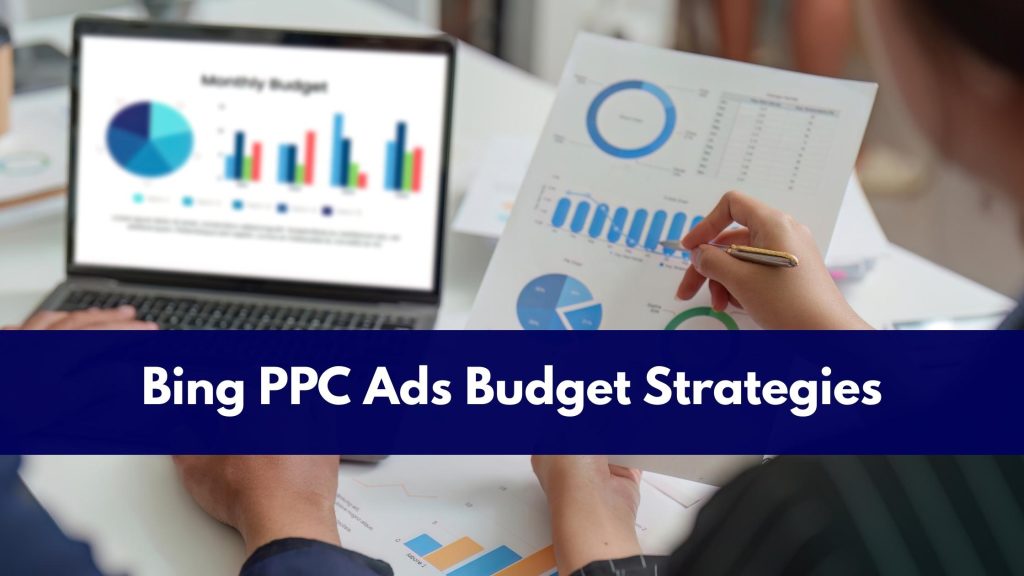
Budgeting for Bing PPC Ads requires a different framework than Google, because the dynamics of cost, competition, and volume are genuinely different on the platform.
Start Conservatively and Scale on Data
Unlike Google, where high competition often requires meaningful spend to gather statistically significant data quickly, Bing PPC Ads can be meaningfully tested at lower daily budgets. A starting daily budget of $20 to $50 per ad group is typically sufficient to gather early performance data across most industries.
The key is not to evaluate too early. Let each campaign accumulate at least 100 to 200 clicks before concluding keyword performance or audience fit.
Recommended Budget Allocation Framework
For businesses running both Google Ads and Bing PPC Ads simultaneously, the most widely applied budget split is:
- 80–85% allocated to Google for volume, mobile reach, and primary conversion campaigns.
- 15–20% allocated to Bing PPC Ads for cost-efficient reach, desktop audiences, and B2B targeting.
This is not a universal rule — in B2B, professional services, or high-CPC verticals, Bing’s share of budget often warrants a higher allocation once early performance data confirms strong returns.
Use Campaign-Level Budgets for Flexibility
Microsoft Advertising supports both ad group-level and campaign-level budget controls. For most advertisers, campaign-level budgets are more efficient — they allow the platform’s algorithm to shift spend dynamically across ad groups based on real-time performance, rather than hitting artificial caps on high-performing groups while underspending on lower-performing ones.
Monitor Budget Pacing Daily in the First 30 Days
Budget pacing — how your daily budget is distributed across the day — significantly affects which searches your Bing PPC Ads appear in. Check pacing daily in the first month of any new campaign.
If your budget is consistently exhausted before the end of the business day, you are missing peak-intent traffic and should either increase the daily budget or apply ad scheduling to concentrate on your highest-converting hours.
Set Bid Strategies Based on Campaign Maturity
- New campaigns: Use Enhanced CPC or Maximize Clicks to accumulate data quickly.
- Campaigns with 30+ conversions in 30 days: Switch to Target CPA or Maximize Conversions to let the algorithm optimize toward actual business outcomes.
- High-revenue or high-ticket campaigns: Test Target ROAS bidding once you have sufficient conversion value data — this is where Bing PPC Ads often dramatically outperforms manual bidding.
Bing Ads PPC Management: In-House vs. Professional Services
Managing Bing PPC Ads effectively requires ongoing attention to keyword performance, bid adjustments, negative keyword hygiene, audience optimization, and creative testing.
For businesses without a dedicated in-house PPC resource, professional Bing Ads PPC management services consistently deliver stronger returns than unmanaged or infrequently reviewed campaigns.
A certified Bing Ads agency will provide:
- Complete campaign architecture and audience targeting setup.
- Weekly performance reviews and ongoing bid optimization.
- Creative testing across ad copy and extensions.
- Transparent monthly reporting on spend, conversions, and cost-per-acquisition.
- Integration of Bing PPC Ads performance with your broader paid search strategy.
At Directory One, our Bing Ads PPC management services are built around your specific business objectives — from initial campaign architecture and LinkedIn targeting strategy through ongoing Bing Ads management, performance optimization, and transparent reporting. Our Bing Ads specialists treat Microsoft Advertising as a primary channel, not an afterthought.
Conclusion
Bing PPC Ads are not a replacement for Google Ads — they are a cost-efficient complement that gives your brand access to a valuable, underserved audience that most competitors are ignoring entirely. When executed strategically, Bing PPC ads provide a cost-effective and scalable advertising solution. Businesses that invest in structured Bing Ads PPC management benefit from lower competition and strong conversion potential.
By partnering with Directory One for Bing Ads PPC management services, your business can unlock measurable growth while maintaining budget control.
Call us today at 713.269.3094 or visit https://www.directoryone.com/.
About The Author
